

Plan and limits
Open Plan and limits in the user menu. All members can view team terms, usage and payments; owners and administrators can pay and change plans. Check current prices and terms in your account.
Check the plan and usage
Under Your plan, check its state and end date. A different plan may apply after expiry; a cancelled subscription may continue until the displayed date.
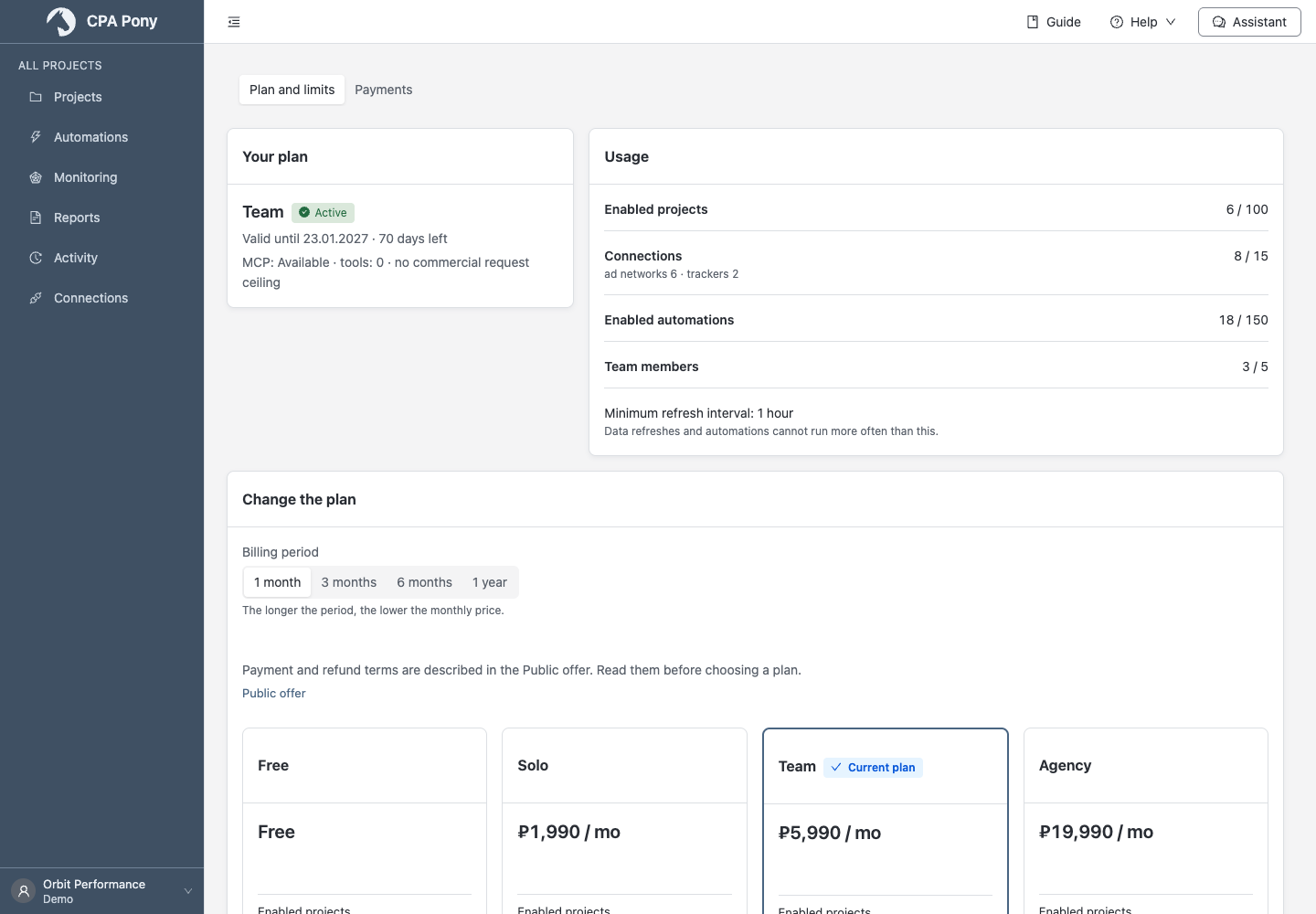
Usage counts enabled projects and automations, connections and members including the owner. Select a row name to open its list. The minimum interval limits refresh and run frequency. Also compare available history, AI and MCP features.
Older data is retained but may be unavailable under the current plan. Expanding history makes it available immediately; a regular refresh does not remove the restriction. MCP access is separate from the number of requests allowed.
Reached or exceeded limits
| Limited resource | What to do |
|---|---|
| Projects or automations | Turn off extras to free capacity. You can create, copy and import disabled ones; deletion is unnecessary to free a slot. |
| Connections | Free capacity or change plans. Check data consequences before deleting. |
| Members | The owner counts toward the limit. Remove excess members or change plans. |
Exceeding project, connection or automation limits pauses the affected scheduled work. Members keep access when their limit is exceeded, but data refreshes, automations and observations pause. Observation count itself is unlimited. Bulk enabling projects or automations is rejected entirely if there are too few slots.
Reading available statistics, editing, disabling, deleting and automation tests remain available. Scheduled work resumes within an hour after excess usage is resolved. A plan does not replace permissions: ask an administrator if rights are missing.
Choose and pay
- Under Change the plan, select a duration and compare offers.
- Select Choose plan, Renew or Upgrade plan.
- Check the duration, payment method, amount and credit for the remaining payment. If credit covers the full amount, choose a longer period.
- Read the displayed Public Offer edition and select Proceed to payment. If the edition changes, read the new one and retry.
- Continue through the payment provider, or transfer the exact invoice amount in its specified currency to the displayed address before expiry. Copy the amount and address separately; the QR contains the address.
Renewals add time to the remaining period; upgrades start a new period at payment. Credit uses the unused portion of money actually paid; gifted days do not increase it.
A new request replaces an earlier unpaid one. If money is already in transit, wait for that payment to finish. Test payments are labelled separately. If payment methods are unavailable, use the offered support contact; contact support for individual terms too.
A personal plan outside the public catalogue may offer Renew, even after expiry. Check the proposed period and amount; the button is absent if renewal is no longer available.
When new payments are paused, purchases, renewals and upgrades are unavailable. The open checkout keeps your selected term and payment method. Return to the tab later. You can still view an existing payment or cancel it where permitted.
Check a payment result
Open Payments and select a record's date. In the details, check the amount, credit, status, duration, offer edition and receipt delivery.
After returning from the payment provider, the account checks status for a while. A success message from the gateway alone does not confirm activation. After Payment received, the plan updates. Use Check status if needed.
You can cancel a pending request with no received funds after confirmation. Cancellation is unavailable for partial payments or held funds.
Contact support for mismatched amounts, late payments, overpayments, money remaining with the payment provider, or payment received without plan activation. Check refund terms in the current Public Offer.
Switch to a cheaper plan
Select Switch to a cheaper plan. Review remaining credit, the new duration and changes to limits, history, MCP and intervals.
Change plan now applies the change immediately without a new payment: remaining paid value becomes days, without a money refund. This switch is unavailable for a free plan or without paid value remaining. Check which resources will exceed the new limits beforehand.
For request failures, follow the general instructions.